
01 /
Managed IT support
Help desk, monitoring, patching, and platform services for a fixed monthly price, including a report on what occurred.
From $280,000 per month for 10 positions.Services / Servers and cloud solutions
Virtualization, migrations to Microsoft 365 or Google Workspace, and off-site backup.
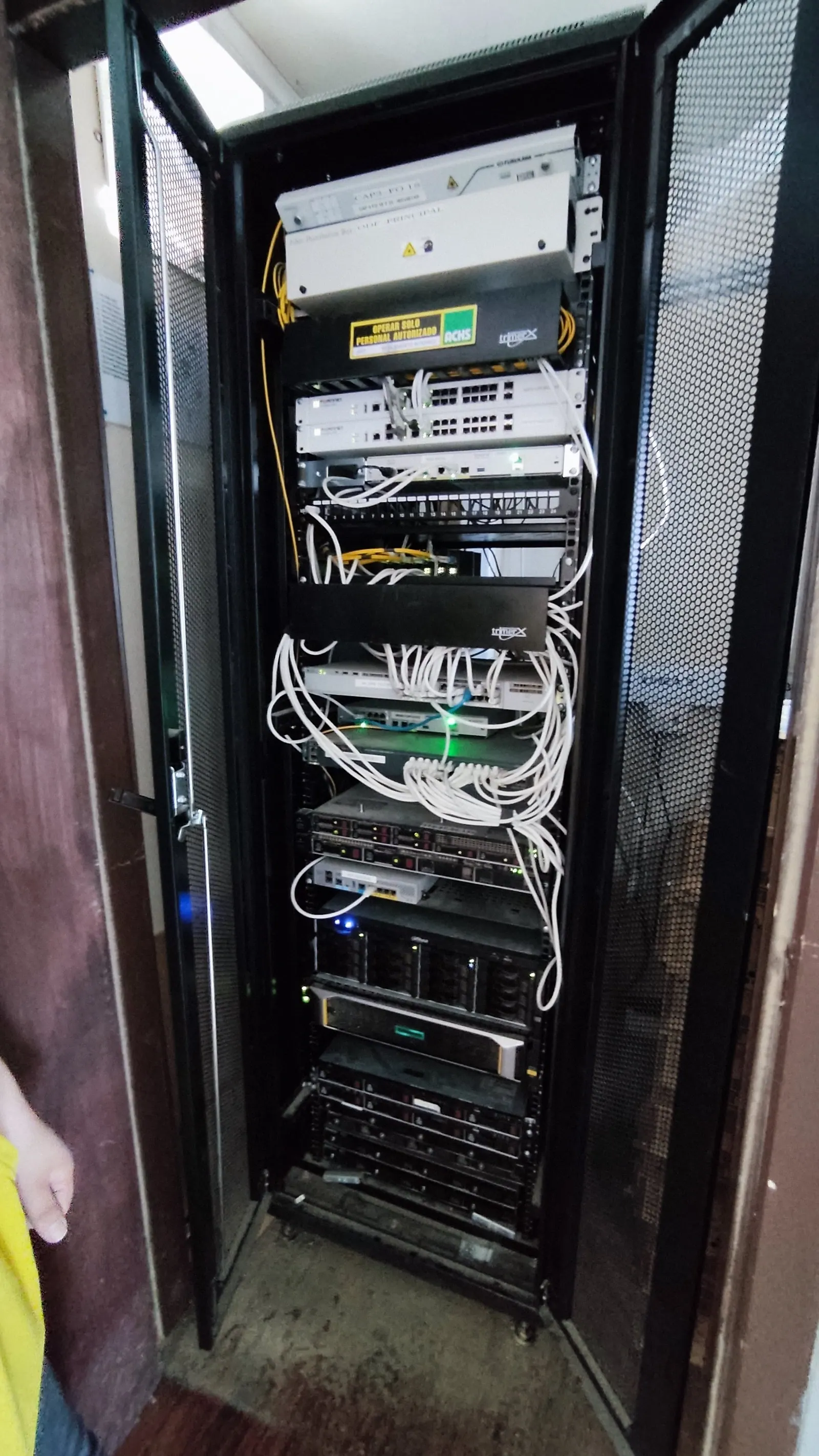
A common point of failure for a small business is an aging server located under a desk. We virtualize it when appropriate, migrate it to the cloud when it makes sense, or maintain it in a rack with offsite backups. We also migrate email and files to Microsoft 365 or Google Workspace, including prior backups, testing, and a mutually agreed-upon timeframe.
From diagnosis to surgery
What’s running on the server, who uses it, and what would happen if it went down.
Planned in stages, with the possibility of going back.
Support, monitoring, and assistance for the new environment.
It depends on the software you use and your internet connection. We’re telling you this based on data, not just trends.
Everything is connected.
Help desk, monitoring, patching, and platform services for a fixed monthly price, including a report on what occurred.
From $280,000 per month for 10 positions.24-hour equipment protection, managed firewall, and a 3-2-1 backup that is regularly tested.
Starting from $4,500 per team per month.The first step.
A 30-minute call, free of charge, to understand your operation.
Following that, a field diagnosis with defined priorities and a budget.
People, process, and support.
A clear initial contact. A written proposal. Agreed-upon next steps.
We discussed your needs and established goals, deliverables, deadlines, and costs within the proposal.
We agreed on responsibilities, stages, and the necessary information to move forward. The launch and training are defined according to the project.
We’ve agreed on the channels, times, and scope of the follow-up support, so you’ll know who to contact.
A written proposal outlining the scope, deliverables, stages, price, and terms. It also identifies any additional services you would like to include.
We’ve defined the contact channel, the hours of operation, and the scope of support within the proposal. This allows you to understand what kind of assistance your service offers and how to request help.
When defining the project, we reviewed what information is needed, who can access it, and how it will be shared. In software systems, we also agreed on the conditions for backup, preservation, and export.
Technology that supports your trust.
Your browsing on this website uses HTTPS/TLS to protect information during transmission.
Vercel, the provider of hosting for this website, documents the use of AES-256 encryption for data stored within its infrastructure.
Networks, systems, and integrations require their own specific security measures. We’ll work with you to define the scope of each project.